


Download Parrot Rig for Adobe Animate CC | Complete Cartoon Character Rigging Guide
Original price was: ₹499.00.₹49.00Current price is: ₹49.00.
Description
Are you an animator looking for high-quality, ready-to-use cartoon characters to speed up your Adobe Animate CC workflow? Look no further! In this comprehensive guide, we’re offering a FREE DOWNLOAD of a fully rigged Parrot cartoon character, meticulously designed and optimized for Adobe Animate CC (formerly Flash). Whether you’re creating YouTube cartoons, educational videos, explainer animations, or personal projects, this rig will save you hours of design and rigging time.
This character isn’t just a static drawing—it’s a professional-grade, production-ready asset built with modern rigging techniques. Below, we break down every feature, layer, and functionality in detail so you can maximize its potential in your animations.
🎨 Artwork & Design Overview
The Parrot character boasts a vibrant, stylized cartoon aesthetic with smooth vector lines and bold colors. Designed in a semi-flat vector style, it ensures clarity at any resolution—perfect for both HD and 4K animation projects. The color palette uses Adobe Animate’s symbol-based swatches, making global recoloring effortless.
- Resolution-Independent Vector Art: Scales infinitely without pixelation
- Clean Layer Hierarchy: Organized layer structure (Head, Body, Wings, Legs, Tail, etc.)
- Symbol-Based Construction: Every body part is a reusable symbol for easy duplication and modification
⚙️ Rigging System Breakdown
1. Bone Rigging (Inverse Kinematics – IK)
The Parrot uses Adobe Animate’s built-in Bone Tool for natural limb movement.
- Wings: Full IK chains with rotation constraints to prevent unnatural poses
- Legs & Feet: Separate bones for thighs, shins, and toes—ideal for walk cycles
- Tail Feathers: Flexible tail with multiple linked bones for expressive motion
2. Facial Rig (Blend Shapes & Symbol Swapping)
Expressiveness is key—and this rig delivers!
- Eyes: Separate pupils, eyelids, and eye shine layers for dynamic blinking and emotion
- Mouth Library: 10+ interchangeable mouth shapes (A, E, I, O, U, M, F, etc.) synced to lip-sync workflows
- Eyebrows: Animated via symbol swapping for anger, surprise, joy, and confusion
- Blush/Blush-off Toggle: One-click emotional emphasis
3. Body Control & Poses
- Master Control Symbol: Move, rotate, and scale the entire character from one point
- Pre-Made Poses: Idle, flying, talking, walking, and dancing poses included in the Library
- Layer Parenting: All limbs follow the torso smoothly during motion
🚶 Animation-Ready Features
✅ Walk Cycle Included
A polished, loopable walk cycle is pre-built using Adobe Animate’s timeline and tweening system. You can drop it directly into your scenes or use it as a reference for custom motion.
✅ Flying Animation Template
The wings are rigged to flap with ease—use the included wing-flap cycle or keyframe your own.
✅ Lip-Sync Compatibility
Organized mouth layers labeled phonetically for fast, accurate voice-syncing. Works seamlessly with tools like Papagayo or Auto Lip-Sync plugins.
✅ Customizable Colors
All colors use shared swatches. Change the Parrot’s feather hue, eye color, or beak tone globally via the Color Palette panel—no redrawing needed!
📦 File Structure & Organization
Inside the .fla file, you’ll find:
- Main Timeline with labeled layers (DO NOT flatten!)
- Library Folders:
Body_Parts(Head, Torso, Wings, Legs, Tail)Facial_Expressions(Mouths, Eyes, Eyebrows)Poses(Idle, Walk, Fly, Dance)Symbols(Reusable graphic assets)
- Notes Layer: Tips and usage instructions embedded directly in the timeline
💡 How to Use This Rig: Step-by-Step
- Download the .fla file (link in description)
- Open in Adobe Animate CC (2020 or newer recommended)
- Explore the Library to understand symbol structure
- Drag the “Master Character” symbol onto the stage
- Animate using bones, tweens, or frame-by-frame methods
- Export as MP4, GIF, or PNG sequence via File > Export
⚠️ Note: Do not convert symbols to bitmaps or break apart layers—this will break the rig!
🌟 Why This Rig Stands Out
- 100% Free for Personal & Commercial Use (Credit appreciated but not required)
- No Plugins Needed – Uses only native Adobe Animate features
- Beginner-Friendly – Clear layer names, tooltips, and structure
- Pro-Level Quality – Built by industry animators with broadcast experience
🔗 Download Link & Attribution
[INSERT YOUR DOWNLOAD LINK HERE]
If you find this rig helpful, please like, subscribe, and hit the bell—it supports our mission to provide free animation resources to creators worldwide!
❓ Frequently Asked Questions (FAQ)
Q: Is this compatible with older versions of Animate?
A: Best used in Adobe Animate 2020 or later. Older versions may not support all IK features.
Q: Can I edit the design?
A: Yes! All vectors are editable—change shapes, add accessories, or create variants.
Q: Can I use this in client projects?
A: Absolutely! Free for commercial use. No hidden licenses.
Q: Will more animal rigs be released?
A: Yes! Subscribe to get notified about upcoming free rigs (Cat, Dog, Monkey, etc.).
📣 Join Our Animation Community
Follow us on [Social Media Links] for tutorials, rig updates, and animation challenges. Tag us in your videos using #AnimateCCRig—we feature fan animations monthly!
Only logged in customers who have purchased this product may leave a review.
Related products
-
Adobe Animate CC Blood Effect Free Download | High Quality Cartoon & A...
₹0.00 -
 Sale!
Sale!
Adobe Animate CC Black Fox Rigged Character with Advanced Color Control | F...
Original price was: ₹1,999.00.₹49.00Current price is: ₹49.00. -
Sale!
Download 5GB Adobe Animate CC Character Bundle – Full Rigged & Ready t...
Original price was: ₹19,999.00.₹999.00Current price is: ₹999.00. -
Sale!
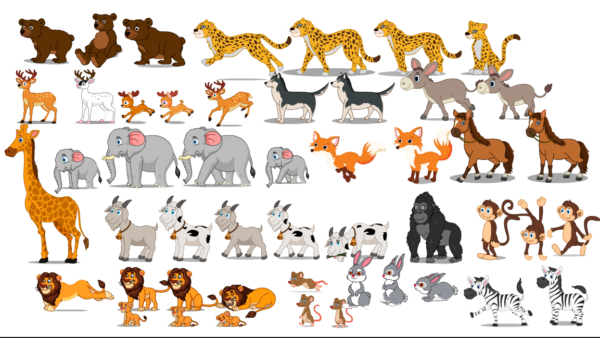
Adobe Animate CC Aimals Bundal Sell: Ultimate Guide for Beginners & Pr...
Original price was: ₹1,999.00.₹499.00Current price is: ₹499.00.



Reviews
There are no reviews yet.